
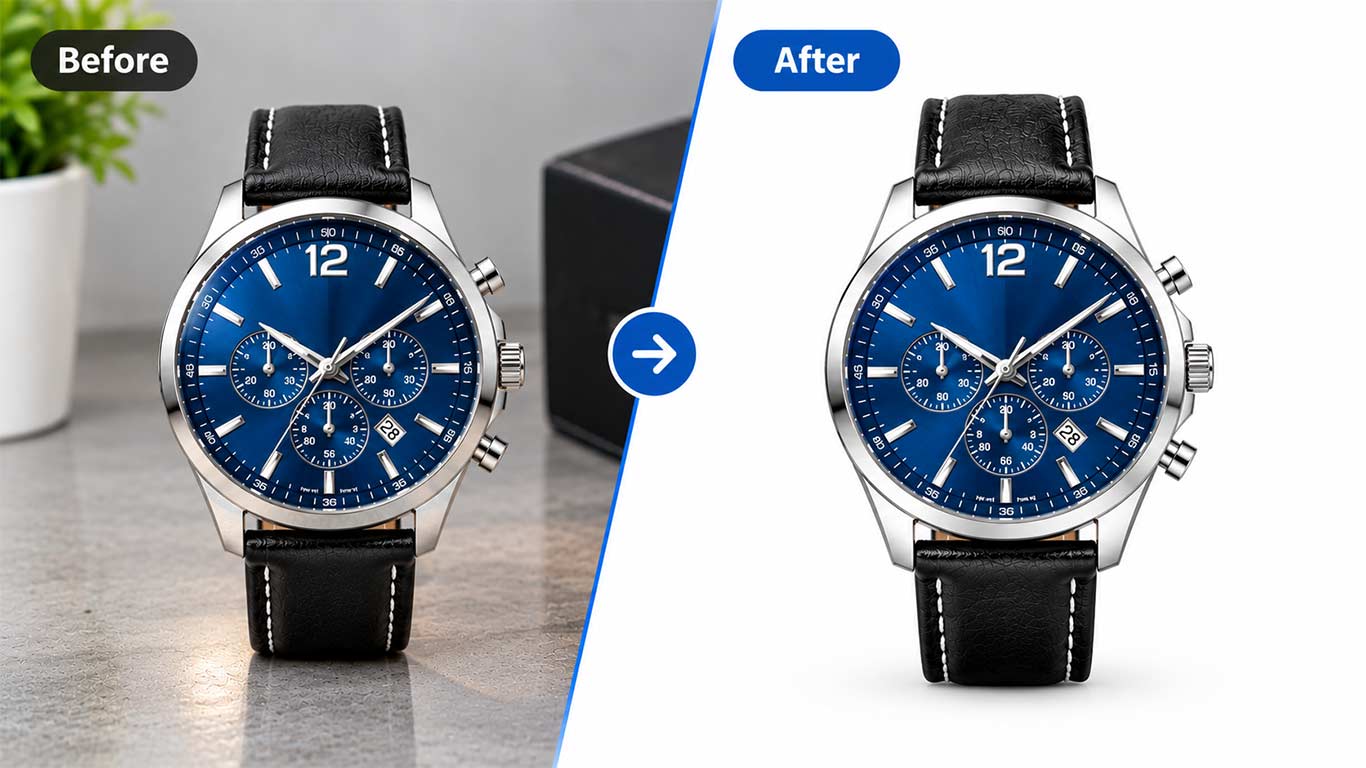
Boost sales with professional e-commerce photo editing services. We offer background removal, color correction, and ghost mannequin edits for online stores.
Online shoppers can’t pick up a product, flip it over, or feel the fabric between their fingers. All they have is a photo, and that photo has to do the convincing a salesperson would normally handle in a physical store.
This is where e-commerce photo editing services earn their keep. They take ordinary product shots and sharpen them into images that build confidence fast. A clean background, true color, and crisp detail can be the difference between a shopper clicking buy and a shopper clicking away to a competitor’s listing instead.
Think about the last time you bought something online you couldn’t physically touch first. Chances are, the photos did most of the persuading. A slightly crooked angle, a washed-out color, or a cluttered background can quietly plant doubt, even if the product itself is excellent. Editing closes that gap between what a camera captures and what a shopper needs to feel confident clicking buy.
This guide walks through what makes these edits so persuasive, why outsourcing often beats doing it yourself, and how to choose a partner who won’t let your catalog down.
Why Product Images Make or Break Conversions
The Zoom-In Moment
Shoppers zoom in before they decide. It’s an instinctive habit, almost a reflex, like checking a price tag twice before tapping add to cart. If the image turns pixelated, blurry, or oddly cropped at that zoomed-in moment, doubt creeps in immediately.
Sharp, well-lit, properly cropped photos hold up under scrutiny. They let a shopper inspect stitching, texture, or finish the way they would in person, and that inspection builds the confidence needed to complete a purchase rather than abandon the cart.
High-resolution source files make this possible in the first place. No amount of editing can manufacture detail that was never captured, so the zoom test is really a test of the entire production chain, from camera settings through to final export.
Trust, Returns, and the Cost of a Bad Photo
Here’s something many sellers overlook: photo quality directly affects return rates. When colors are inaccurate or angles are misleading, buyers receive something that doesn’t match what they expected, and they send it back, often at the seller’s expense.
Accurate, polished images set honest expectations from the first glance. Fewer surprises mean fewer returns, and fewer returns mean healthier margins. A good photo isn’t just marketing, it’s quiet risk management working in the background of every sale.
Return shipping, restocking, and lost sale velocity add up quickly across a large catalog. A modest investment in accurate, well-edited photography often pays for itself many times over simply by preventing a fraction of those avoidable returns.
The Compounding Effect Across a Catalog
A single improved photo helps one listing. A consistently edited catalog helps the whole store. When every image shares the same lighting logic, the same crop ratio, and the same background treatment, shoppers subconsciously read the brand as organized and dependable.
That perception carries weight well beyond the product page. It influences whether a visitor trusts the checkout process, whether they browse a second item, and whether they come back for a repeat purchase later.
Think of it as a visual signature. A shopper might not consciously notice that every product sits at the same angle or that every shadow falls the same way, but the cumulative effect reads as professionalism. Inconsistency does the opposite, making even a legitimate, well-run store feel slightly improvised or untrustworthy.
Core E-commerce Photo Editing Services Explained
Not every product needs every technique below, but knowing the toolkit helps you brief an editor clearly and spot good work when it comes back.
Background Removal and Pure White Backdrops
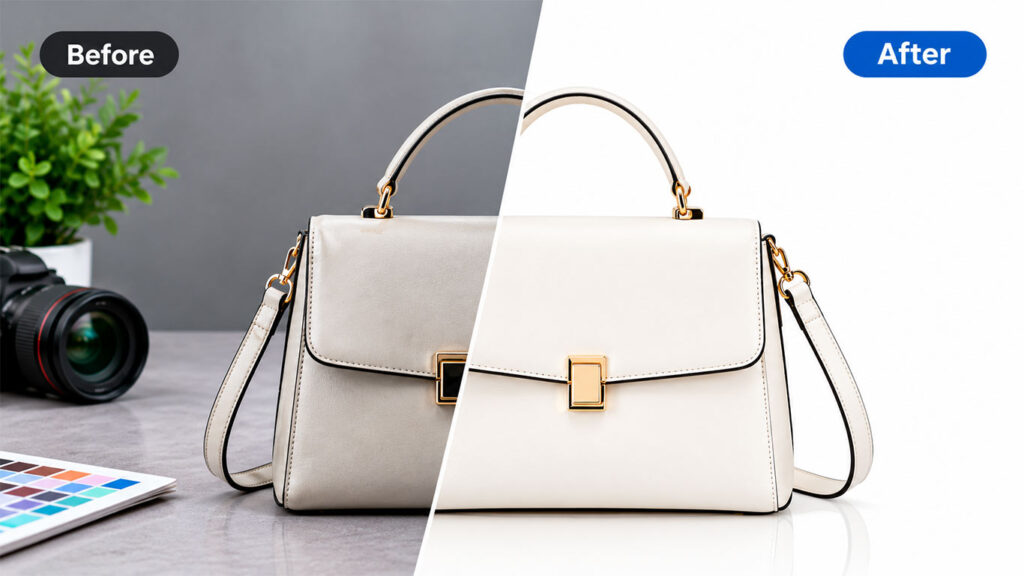
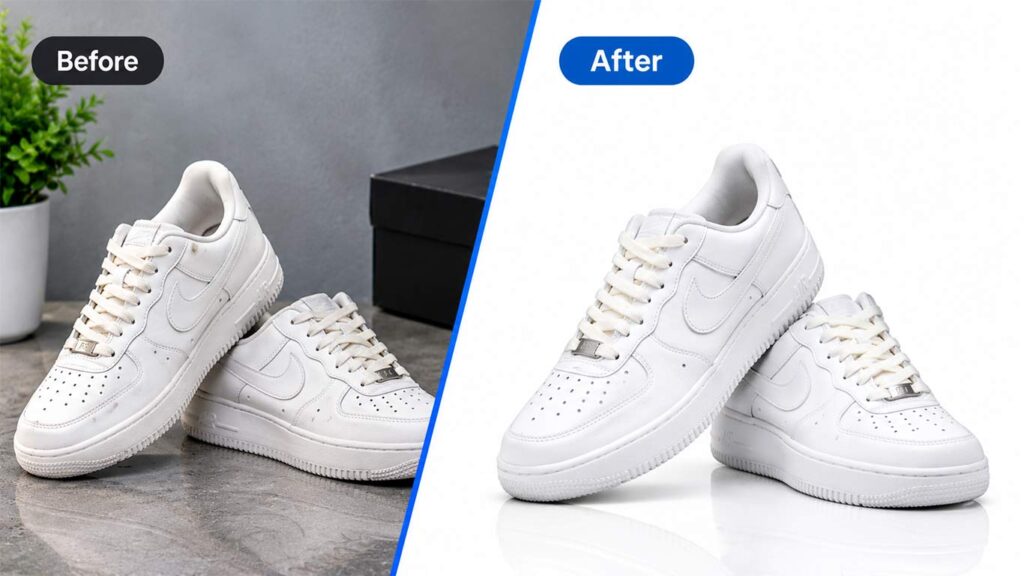
Most major marketplaces require a clean, pure white background for primary listing images, and for good reason. A white backdrop puts all the attention on the product itself, with nothing competing for the shopper’s eye.
Editors isolate the item with precise clipping paths or layer masking, then drop in a seamless white, or custom, background. For items with complex edges, like jewelry chains, furry apparel, or mesh fabric, this takes a patient, almost surgical hand. Rushed masking leaves telltale halos or jagged edges that experienced shoppers notice instantly.
Lifestyle and secondary images often move away from pure white, placing the product in a styled scene or colored backdrop instead. The primary listing image still tends to perform best in plain white, since marketplace algorithms and shopper habits both favor that clean, familiar presentation.
Color Correction and True-to-Life Accuracy
A red dress that photographs orange under studio lights is a liability. Color correction calibrates hue, saturation, and brightness so what the shopper sees on screen matches what arrives in the box.
This single edit often has the biggest impact on reducing returns, since color mismatch is one of the most common complaints in online retail. Calibrated monitors and consistent white balance during the shoot make this correction far easier down the line, so good editing really starts at the camera.
Shadow and Reflection Creation
A product floating on a flat white background can look strangely artificial, almost like a sticker pasted onto the page. Adding a soft drop shadow or a subtle reflection grounds the item, giving it weight and a sense of realism.
Done well, this small touch makes the whole image feel more premium, which subtly raises the perceived value of the product itself. Overdone, it looks heavy-handed, so restraint matters as much as technique here.
Retouching and Blemish Cleanup
Dust specks, fingerprints, stray threads, scuff marks. None of these belong in a listing photo, yet they show up constantly during a shoot, even in a controlled studio environment. Retouching clears them out without altering the product’s actual appearance or misrepresenting its real condition.
For skincare, jewelry, and electronics especially, this level of polish signals quality and attention to detail before the buyer even reads the description. A smudged lens cap or a visible thumbprint on a glass bottle can undercut an otherwise strong listing.
Image Resizing and Multi-Channel Formatting
A single photo rarely fits every platform. Amazon wants one aspect ratio, Shopify another, Instagram Shop something else entirely. Resizing and reformatting ensures each image displays correctly wherever it’s posted, without awkward cropping or distortion.
This is tedious, repetitive work, exactly the kind of task that benefits from a consistent, systematic approach rather than manual, one-off adjustments made under deadline pressure. Templates and batch processing keep output uniform across hundreds of SKUs.
Ghost Mannequin Effect for Apparel
The ghost mannequin effect, also called invisible mannequin, shows clothing with natural shape and volume but no visible model or mannequin inside it. It’s achieved by photographing the garment on a mannequin from multiple angles, then digitally removing the mannequin and blending the interior collar or neckline shots.
This technique is a staple for fashion retailers because it shows true fit and drape, something a flat-lay photo simply can’t convey. Shoppers get a far better sense of how a shirt will actually hang on a body, without the distraction of a faceless mannequin or an unrelated model.
360-Degree Spins and Multi-Angle Consistency
Some products benefit from a full rotating view, especially furniture, footwear, and tech gadgets where shoppers want to inspect every side. Editing a 360-degree spin means stitching dozens of frames into a smooth sequence while keeping lighting, framing, and background identical across every single shot.
Even without a full spin, offering four or five consistent angles, front, back, side, and a close-up detail shot, gives shoppers more confidence than a single hero image ever could on its own.
Outsourcing vs. In-House Editing
Speed at Scale
A boutique with twenty products might manage editing in-house without much strain. A catalog with two thousand SKUs is a different story entirely. Outsourced e-commerce photo editing services are built for volume, with teams and workflows designed to process large batches quickly and consistently.
This matters most during product launches or seasonal catalog refreshes, when dozens or hundreds of new images need to go live at once, often against a hard deadline tied to a marketing campaign. A dedicated team working in shifts can turn around a batch overnight that would otherwise eat an entire week of a single in-house editor’s time.
Cost Efficiency for Growing Catalogs
Hiring and training an in-house editor means ongoing salary, software costs, and management overhead, regardless of how busy that month happens to be. Outsourcing converts that fixed expense into a flexible, pay-per-image cost that scales with your actual catalog size.
For growing stores, this flexibility often makes outsourcing the more sensible financial choice, at least until volume justifies a dedicated in-house hire. Many sellers find a hybrid model works best, keeping a small in-house team for urgent, same-day needs while sending bulk work to an outside provider.
Seasonal spikes make this especially clear. A holiday catalog refresh or a flash sale launch can multiply your normal photo volume overnight, and a flexible outsourced arrangement absorbs that surge without the awkward choice between overworking a small internal team or scrambling to hire temporary help.
Consistency Across a Growing Team
When multiple photographers or editors touch a catalog over time, style drift creeps in almost unnoticed. One batch looks slightly warmer, another slightly more saturated. A dedicated outsourced partner working from a documented style guide tends to catch this drift before it reaches the storefront.
That documented consistency becomes especially valuable as a brand expands into new product categories or onboards additional suppliers, each arriving with their own photography habits.
A simple fix many brands use is a shared reference sheet, pinned to the project, showing an approved sample image for each major product category. New suppliers or photographers can match against that reference instead of guessing at the house style from memory.
Choosing the Right Photo Editing Partner
Portfolio and Trial Batch
Before committing to a provider, review their portfolio for consistency across different product types, not just a handful of flawless hero shots. Then request a small trial batch using your own raw images rather than relying on their curated samples.
A trial reveals real-world quality, communication speed, and how closely the provider follows your specific brand guidelines, things a polished portfolio alone won’t show you. Pay attention to how they handle your trickiest items, since that’s a strong predictor of how they’ll handle the rest of the catalog. If a provider hesitates or pushes back on a reasonable trial request, take that as useful information before any money changes hands.
It’s also worth sending a written style guide alongside the trial batch, even a simple one. Note your preferred background shade, crop margins, and shadow intensity. A provider who follows those notes closely on a first attempt is likely to stay consistent once volume picks up.
Turnaround and Bulk Pricing
Get clear answers on turnaround time, especially for large batches, and ask whether bulk pricing kicks in at certain volumes. Many providers offer tiered rates that reward larger orders, which matters a great deal if you’re editing hundreds of images monthly.
Also confirm their revision policy upfront. Reasonable fixes, like a missed dust speck or an off-tone background, should be included at no extra charge, not treated as a separate billable task.
File Handling and Data Security
Ask how raw files are stored, for how long, and who has access to them. This matters more than it might first appear, particularly for sellers working with unreleased products or confidential packaging designs ahead of a launch.
A provider with clear, written policies on file retention and deletion is generally a safer long-term partner than one who answers vaguely or seems unprepared for the question.
It’s also worth asking which file formats you’ll receive back. Layered PSD files are useful if you anticipate future edits, while flattened JPEGs or PNGs are usually enough for direct upload. Knowing this in advance saves a frustrating back-and-forth once your catalog is already live.
Measuring Whether Editing Is Actually Working
It’s worth tracking a few numbers once new, edited images go live. Conversion rate on the product page, return rate over the following weeks, and time spent on the listing are all reasonable indicators. A jump in conversions after a photo refresh is one of the clearest signals that the investment paid off.
Compare similar products where possible, ideally ones in the same price range and category, so the test isn’t skewed by unrelated factors like seasonality or a pricing change. Running this kind of simple before-and-after comparison turns a gut feeling about better photos into a number you can actually defend in a budget meeting.
Conclusion: Better Photos, More Clicks, More Sales
Great product photography doesn’t need to be expensive or complicated to pull off, but it does need to be deliberate. Clean backgrounds, honest color, thoughtful retouching, and the right formatting all work together to turn a casual browser into a confident buyer.
Invest in quality e-commerce photo editing services, and you’re not just making your catalog look nicer. You’re removing friction, building trust, and giving shoppers every reason to click that buy button with confidence.